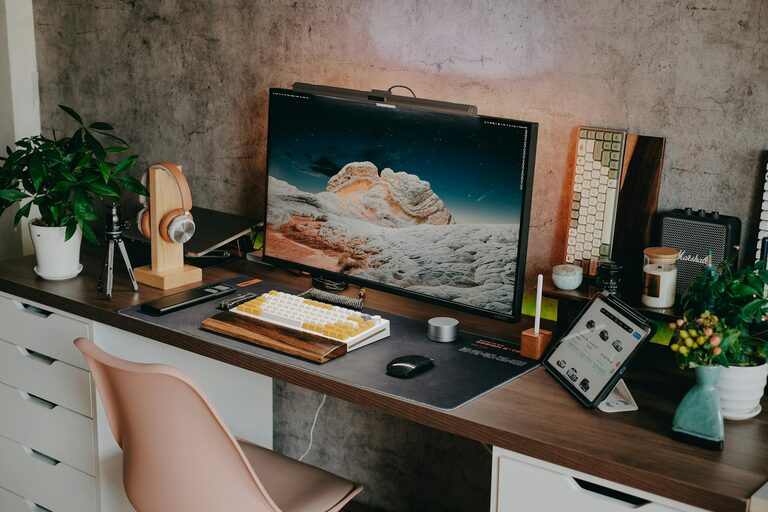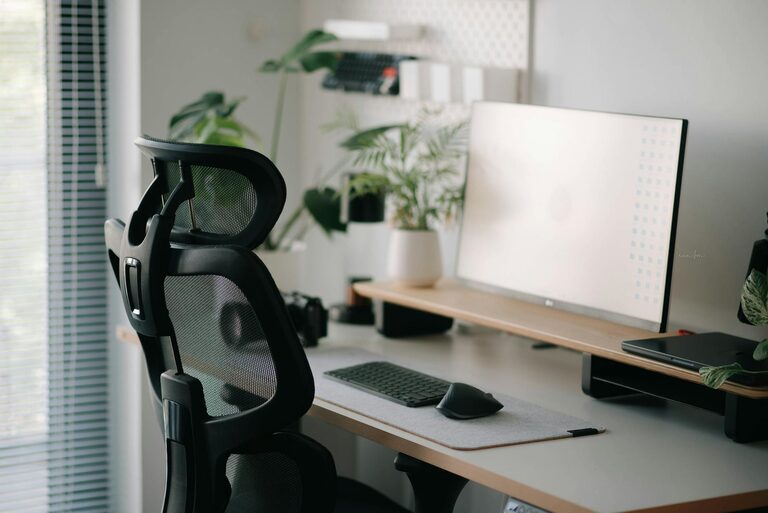
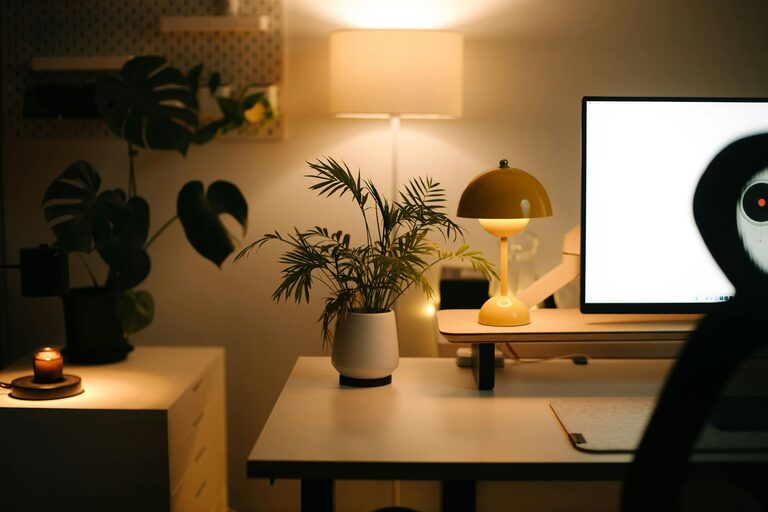
Creating a productive and enjoyable home workspace is essential for anyone who works remotely or spends time on personal projects at home. A well-designed environment can help improve focus, reduce stress, and make working from home a more pleasant experience. Whether you have a dedicated room or just a small corner, these tips will guide you in setting up a space that suits your needs and keeps you motivated throughout the day.
Choose the Right Location
The first step to a successful workspace is finding the right spot in your home. Ideally, this should be a quiet area with minimal distractions and enough space for your equipment.
– Consider natural light: Position your desk near a window if possible. Natural light helps regulate your body clock and can boost your mood and alertness.
– Avoid high-traffic areas: Try to set your workspace away from busy or noisy areas to maintain concentration.
– Think about privacy: If you share your home with others, choose a space where you can close a door or create a visual boundary to signal you are working.
Invest in Ergonomics
Comfort is key when spending long hours working at home. Good ergonomics prevent discomfort and health issues such as back pain or eye strain.
– Select a suitable chair: Use an adjustable chair that supports your lower back. Your feet should rest flat on the floor, and your knees should be at a 90-degree angle.
– Desk height matters: Your desk should be at a height where your forearms are parallel to the floor when typing.
– Monitor placement: Position your screen at eye level and about an arm’s length away to reduce neck strain.
– Use accessories: Consider a keyboard tray, wrist rests, or a footrest for extra support.
Organise Your Workspace Efficiently
A tidy and organised area helps reduce distractions and saves time looking for things.
– Declutter regularly: Remove unnecessary items from your desk to create a clean, focused environment.
– Use storage solutions: Drawers, shelves, and organisers keep supplies neat and easy to access.
– Keep cables managed: Use clips or cable ties to avoid tangled cords, which can look messy and catch on things.
– Have essentials within reach: Place frequently used items close by to avoid interruptions.
Personalise Your Space
Adding personal touches makes your workspace feel welcoming and inspiring.
– Incorporate plants: Indoor plants can improve air quality and create a calming atmosphere.
– Display meaningful items: Photos, artwork, or motivational quotes can boost your mood.
– Choose pleasant colours: Soft, neutral tones promote focus, while splashes of colour can add energy.
– Adjust lighting: Use desk lamps or adjustable lights to create a warm, comfortable ambiance, especially in evenings.
Set Boundaries and Routines
To make the most of your workspace, it helps to establish clear boundaries and routines that separate work time from personal time.
– Define working hours: Stick to a schedule that suits your lifestyle and workload.
– Create rituals: Starting your day with a specific routine can signal your brain that it’s time to focus. For example, make a cup of tea, check your calendar, or tidy your desk.
– Take regular breaks: Step away from your desk every hour for a few minutes to stretch or refresh your mind.
– Limit distractions: Consider turning off unnecessary notifications or using apps that block social media during work hours.
Utilise Technology Wisely
Technology is integral to a home workspace but should support productivity without causing distraction.
– Invest in good equipment: A reliable computer, high-speed internet, and a quality headset or microphone improve your work experience.
– Use productivity tools: Apps like calendars, to-do lists, and project management software help keep you organised.
– Stay connected: Video calls and messaging apps foster communication with colleagues or clients.
– Minimise interruptions: Set devices to ‘Do Not Disturb’ mode during focus periods.
Keep Your Workspace Flexible
Your needs and tasks may change, so it’s useful to have a workspace that can adapt.
– Have multi-use furniture: Folding desks or movable storage can create more space when needed.
– Use portable tools: Laptops, tablets, or wireless keyboards allow you to work from different spots in your home.
– Rearrange periodically: Changing your setup can refresh your environment and help overcome creative blocks.
Maintain a Healthy Work-Life Balance
A productive workspace also supports your wellbeing beyond work tasks.
– Separate work and leisure areas: Avoid working in spaces meant for relaxation, like your bed or sofa.
– End your day with a closing ritual: Shut down your computer, tidy your desk, or write a to-do list for tomorrow to signal the end of work.
– Take care of your physical health: Stand up, stretch, and consider using a standing desk if possible.
—
By putting these tips into practice, you can create a home workspace that not only promotes productivity but is also enjoyable to spend time in. A space tailored to your needs makes working from home more effective and can even improve your overall satisfaction with your work. Remember, the key is to start with the essentials and adjust as you go along until you find the setup that feels just right.