
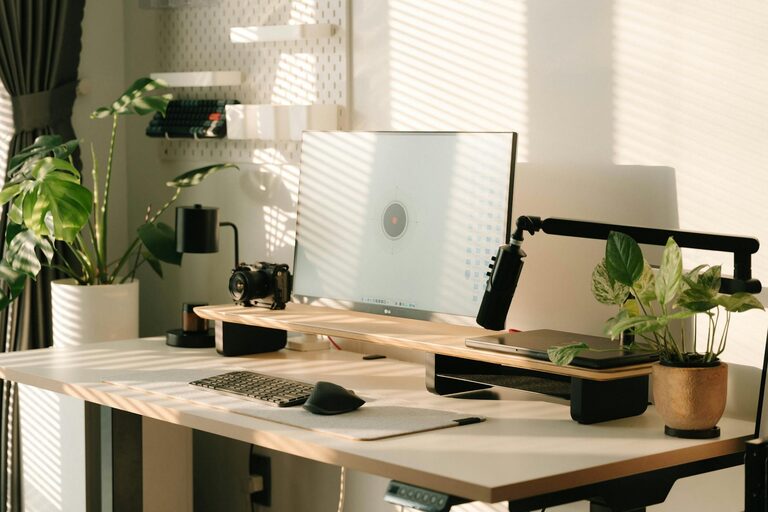
Creating a productive home office environment is essential for anyone working remotely or running a business from home. A well-organised and thoughtfully designed workspace can improve focus, reduce distractions, and make your working hours more enjoyable. Whether you have a dedicated room or a small corner, these tips will help you optimise your home office to support your productivity.
1. Choose the Right Location
Pick a Quiet Spot
Select a part of your home that is as quiet as possible, away from household distractions like the television, busy hallways, or kitchen noise. A peaceful environment reduces interruptions and helps you maintain concentration for longer periods.
Natural Light is Key
If possible, position your desk near a window to take advantage of natural light. Natural lighting has been shown to improve mood and energy levels, positively impacting your productivity. Avoid placing your screen in direct sunlight to prevent glare.
2. Invest in Comfortable, Functional Furniture
Ergonomic Desk and Chair
A comfortable chair that supports good posture is crucial. Prolonged sitting can strain your back and neck, so invest in an ergonomic office chair with adjustable height and lumbar support. Pair it with a desk that fits your space and allows enough room for your computer and work materials.
Adequate Desk Space
Ensure your desk is large enough to accommodate your work essentials but not so cluttered that it becomes distracting. Keep only frequently used items within arm’s reach.
3. Set Up Your Technology Efficiently
Reliable Internet Connection
A stable and fast internet connection is the backbone of any home office. If Wi-Fi is unreliable, consider using an Ethernet cable or upgrading your router.
Organise Your Devices
Arrange your computer, monitor(s), keyboard, mouse, and other devices so they’re comfortable to use. Cable organisers can help keep cords tidy and prevent tangling.
Backup Solutions
Invest in external drives or cloud storage to back up your important work files regularly. This practice prevents data loss and saves time in case of technical issues.
4. Minimise Clutter and Stay Organised
Declutter Regularly
A messy workspace can hinder your focus and increase stress. Spend a few minutes at the end of each day tidying your desk and filing away papers.
Use Storage Solutions
Drawers, shelves, and desk organisers help keep documents and supplies in order. Label boxes or folders for easy retrieval.
Digital Organisation
Keep your computer files and emails well organised with clear folder structures and regular clean-ups to avoid overwhelming digital clutter.
5. Personalise Your Space
Add Motivational Items
Decorate your workspace with items that inspire you—a favourite photo, artwork or a small plant. These personal touches can boost your mood and motivation.
Choose Calming Colours
Soft, neutral colours on the walls or desk accessories can create a calming atmosphere, helping you stay relaxed and focused throughout the day.
6. Create a Routine and Boundaries
Designate Office Hours
Set specific working hours to establish boundaries between your home life and work life. This helps maintain a healthy work-life balance and improve productivity during office hours.
Communicate Boundaries to Others
If you live with family or housemates, discuss your working hours and request quiet during key times. Use signs or signals to indicate when you should not be disturbed.
7. Take Regular Breaks
Use the Pomodoro Technique
Work in focused intervals (e.g., 25 minutes) followed by short breaks (5 minutes). This approach helps keep your mind fresh and maintains high productivity levels.
Move and Stretch
Standing up, stretching, or taking a short walk during breaks improves circulation and reduces fatigue.
8. Manage Noise and Distractions
Use Noise-Cancelling Headphones
If ambient noise is unavoidable, noise-cancelling headphones or calming background music can improve concentration.
Limit Non-Work Activities
Turn off non-essential notifications on your devices and avoid browsing social media during work hours.
9. Optimise Lighting for Video Calls
Position Lights Effectively
For video meetings, ensure your face is well-lit by positioning a lamp or ring light in front of you. Avoid harsh backlighting that creates shadows.
10. Keep a Healthy Environment
Air Quality and Temperature
Ensure your workspace is well-ventilated and at a comfortable temperature. Poor air quality or uncomfortable temperatures can impact your focus and energy.
Hydration and Snacks
Keep a water bottle and healthy snacks nearby to stay hydrated and nourished without having to leave your workspace too often.
—
By applying these tips, you can create a home office environment that not only supports your productivity but also promotes your wellbeing. Remember that setting up a productive space is a personal process; feel free to adjust your setup as your needs evolve. A comfortable, well-organised, and inspiring home office can truly transform your remote working experience.